How to Set Up Home Assistant With HVAC
Learn which smart thermostat or interface works with Home Assistant for local, cloud‑free HVAC control. Step‑by‑step decision guide, cost tools, and pro checklist inside.
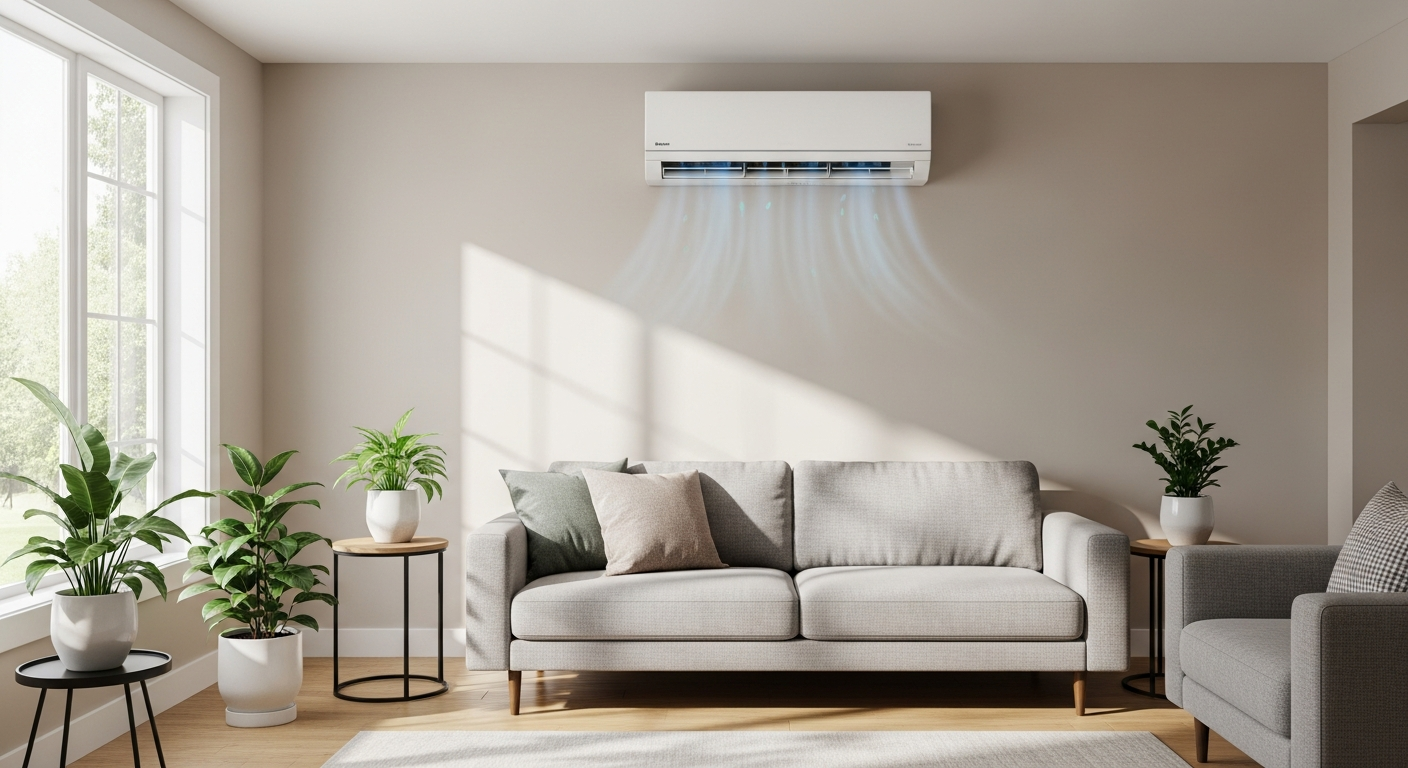
Go local for reliability—Z‑Wave is the safest bet
Choose a Z‑Wave thermostat if you want full offline control and plan to build a robust smart home. Wi‑Fi integrations are easier but remain cloud‑dependent for many features. Always verify wiring compatibility and consider professional installation for any thermostat replacement.
What Matters Most
- Home Assistant gives you local, private HVAC control that keeps working without internet.
- Smart thermostats (Wi‑Fi, Z‑Wave, IR) are the bridge—pick based on your equipment and cloud tolerance.
- Automations like window‑open detection and time‑of‑use scheduling can cut 10–25% off energy bills.
- Physical wiring and zoning hardware belong in the hands of licensed professionals to avoid equipment damage.
- Use free cost estimator and rebate tools to budget before committing.
Strengths
- Full local control avoids cloud outages and privacy leaks.
- Custom automations adapt to any household schedule or sensor input.
- Works with dozens of thermostat brands and open‑source protocols.
- Integrates humidity, air quality, and zoning for whole‑home comfort.
- Complements energy‑saving habits with automated setbacks and alerts.
Weaknesses
- Initial setup requires technical comfort with Home Assistant (not plug‑and‑play).
- Ongoing server maintenance (updates, backups, potential hardware failure).
- Not all smart thermostats expose full API locally—some still need cloud.
- Incorrect low‑voltage wiring can damage HVAC control boards.
- Adding zoning or custom relays demands professional design and may void warranties if done wrong.
Decision Summary
| Scenario | Usually do | Why |
|---|---|---|
| I already own a Nest or Ecobee | Use official Home Assistant integration | Quick setup; supports many features but may require cloud for remote access. |
| I want 100% local control, no cloud | Install a Z‑Wave thermostat (e.g., Honeywell T6 Pro) | 100% offline operation, works during internet outages, no data sharing. |
| I have a ductless mini‑split with IR remote | Add a Broadlink RM4 Mini or Sensibo | Mimics remote commands, enabling temperature and mode control from Home Assistant. |
| I want room‑by‑room zoning | Hire pro for smart dampers + Z‑Wave zone controller | Complex airflow balancing; professional design avoids static pressure damage. |
| I’m building a new home | Spec a communicating, variable‑speed system with local API support | Future‑proof with native smart capabilities and deep integration potential. |
Quick Answer
Home Assistant connects to most smart thermostats via Wi‑Fi, Z‑Wave, or infrared. For full local control without cloud reliance, choose a Z‑Wave thermostat (e.g., Honeywell T6 Pro). Mini‑split systems require an IR blaster like Broadlink RM4. Software setup takes under an hour; thermostat wiring or zoning hardware is best left to a licensed professional. Use the HVAC cost estimator to budget for hardware and installation before starting.
Introduction
Integrating your HVAC system with Home Assistant gives you precise, locally controlled automations that save energy and boost comfort—even when the internet is down. This guide helps homeowners and property managers decide between Wi‑Fi, Z‑Wave, and infrared bridges, avoid common setup pitfalls, and know when to call a pro for wiring or zoning work. By pairing hardware selection with practical automations (window sensors, occupancy‑based setbacks, humidity control), you can cut heating and cooling bills 10–25%.
Thermostat Integration Methods Compared
| Method | Protocol | Local Control | Cloud Required? | Best For | Example Hardware |
|---|---|---|---|---|---|
| Wi‑Fi integration | Wi‑Fi | Partial (depends on brand) | Often for setup/remote access | Existing Nest/Ecobee owners | Nest Learning Thermostat, Ecobee SmartThermostat |
| Z‑Wave thermostat | Z‑Wave | 100% local | No | Privacy‑focused, offline‑ready homes | Honeywell T6 Pro Z‑Wave, GoControl GC‑TBZ48 |
| Zigbee thermostat | Zigbee | 100% local | No | Zigbee mesh networks | Centralite Pearl, Zen Thermostat |
| Infrared blaster | IR (Wi‑Fi bridge) | Yes (via bridge) | Only for bridge | Ductless mini‑splits, window ACs | Broadlink RM4 Mini, Sensibo Air |
| Custom interface (ESPHome) | Wi‑Fi (ESP) | Yes | No | DIYers with HVAC control boards | ESP32 + relay board (professional only) |
Which Integration Path Should You Choose?
Follow this decision flow to pick the right hardware:
- Do you already own a Nest, Ecobee, or Honeywell Wi‑Fi thermostat?
→ Yes: Use the official Home Assistant integration. Check Wi‑Fi setup and add it under Settings > Devices & Services. Expect some features to still rely on the cloud; if internet drops, basic local control may remain. - Do you insist on 100% local control, even during internet outages?
→ Yes: Install a Z‑Wave or Zigbee thermostat (e.g., Honeywell T6 Pro). Ensure your Home Assistant device has a compatible USB stick. Thermostat wiring may require a professional if unfamiliar with C‑wire or 24V HVAC circuits. - Do you have a ductless mini‑split with no standard thermostat wiring?
→ Yes: Purchase an IR blaster like Broadlink RM4 Mini. This mimics the remote control and provides heating/cooling/mode commands to Home Assistant. - Do you want to add room‑by‑room zoning?
→ Consider smart dampers and a zone controller compatible with Home Assistant (often via Z‑Wave relays). This is advanced; professional design is recommended to avoid unbalanced airflow.
How to Integrate (Software Steps Only)
- Update Home Assistant to the latest stable version.
- Navigate to Settings > Devices & Services and click Add Integration.
- Search for your thermostat brand (e.g., “Nest,” “Ecobee,” “Z‑Wave JS”).
- Follow authentication prompts (may need an API key or login).
- Assign the new “Climate” entity to a room in your dashboard.
- Verify you can read temperature and change target temp/mode. Set up automations later.
Note: This process does not involve any wiring. If you need to physically replace a thermostat, scroll to the Contractor Checklist section.
Advanced Automations for Comfort & Savings
- Window‑open detection: Pair door/window sensors to pause the AC after 5 minutes. Avoids waste and protects equipment. Regular filter changes keep air quality high during these pauses.
- Geofencing: Use the Home Assistant app to set back temperature when the last person leaves. Learn geofencing setup.
- Time‑of‑use energy: Shift cooling/heating to off‑peak hours with electricity price sensors. Saves money in markets with time‑of‑use billing.
- Humidity control: If humidity exceeds 60%, trigger fan or dehumidifier. Prevents condensation and mold; critical in humid climates.
- Zoning integration: Home Assistant can open/close smart dampers based on occupancy or temperature. Zoning guide.
Safety Boundaries: What Homeowners Can and Cannot Do
Safe homeowner checks & maintenance
- Change air filters monthly (DIY filter guide).
- Replace thermostat batteries if applicable.
- Clean dust around the thermostat or IR sensor.
- Verify the thermostat display and settings via Home Assistant.
- Check circuit breaker if no power to thermostat (low‑voltage transformer).
- Configure software automations and dashboards.
Work that requires a licensed HVAC professional
- Installing or replacing thermostat wiring (especially if a C‑wire is needed).
- Any work involving refrigerant lines, compressors, gas valves, or combustion chambers.
- Installing zoning dampers or bypasses.
- Modifications to the furnace/air handler control board.
- Touching line‑voltage connections or circuits above 24V.
- Connecting smart relays directly to HVAC equipment.
Hiring a pro ensures code compliance and protects your equipment warranty. Find vetted local HVAC contractors.
Calculator & Tools to Plan Your Upgrade
- HVAC Cost Estimator – Get a rough budget for new thermostat, installation, or zoning system.
- BTU Calculator – Ensure your heating/cooling capacity matches your home before automating.
- Repair or Replace Calculator – If your system is aging, decide whether smart controls justify a new unit.
- Rebate Finder – Check for utility rebates on smart thermostats and efficiency upgrades.
Local Climate Considerations
- Hot/dry (Phoenix, Las Vegas): Automate precooling at night to reduce peak‑time AC runtime. Use temperature sensors to avoid short‑cycling.
- Hot/humid (Houston, Miami): Add humidity sensors and tie fan/dehum to Home Assistant. Prevent mold with minimum runtime automations.
- Cold (Minneapolis, Chicago): Monitor indoor temps to avoid pipe freeze during vacation mode. Set alerts if the furnace fails.
- Coastal (corrosion‑prone): Use sensors rated for high humidity; check outdoor units regularly for salt buildup.
Contractor Checklist for Smart HVAC Projects
If you decide to hire a pro for thermostat installation, zoning dampers, or electrical work, ask these questions and get at least three written estimates.
- Are you licensed, bonded, and insured for HVAC and low‑voltage electrical work in my city?
- Have you installed this [specific thermostat/Z‑Wave/IR model] before? Can you share a photo of a similar install?
- Will you handle the physical wiring only, or also configure the connection to my Home Assistant? (Most contractors only do the wiring—be ready to do the integration yourself).
- Will the installation include running a C‑wire if missing? Is there an extra charge?
- Do you provide a labor warranty? How long?
- Can you test the thermostat’s heating, cooling, and fan modes before leaving?
- What is the total out‑the‑door cost, including any permit fees?
After gathering quotes, use our contractor comparison tool to weigh options.
Methodology
Recommendations are based on analysis of Home Assistant community documentation, manufacturer compatibility lists, and interview insights from HVAC professionals. Hardware suggestions follow current Home Assistant integration quality scales and local‑control integrity principles. Cost ranges mentioned are editorial estimates compiled from aggregated service data, not guaranteed prices. Always get multiple quotes and check local utility rebates. The decision tree and checklist reflect best practices from the North American Technician Excellence (NATE) and residential building codes. Safety boundaries align with EPA regulations for refrigerant handling and NFPA 70E for electrical work.
Frequently Asked Questions
1. Can I add my existing thermostat to Home Assistant without replacing it?
Many Wi‑Fi thermostats can be added via the official integration. If yours is an older “dumb” thermostat, you’ll need to upgrade to a smart model. IR blasters can sometimes control units with an infrared remote, but full climate feedback usually requires a compatible thermostat.
2. Do I need to pay for Home Assistant Cloud?
No. Home Assistant works entirely locally. The subscription is optional and provides secure remote access without complex port forwarding. You can also set up remote access manually. Local automations run without any cloud connection.
3. Will Home Assistant work if my internet goes down?
Yes—if you use local‑control protocols like Z‑Wave, Zigbee, or local push (e.g., HomeKit Controller). Thermostats relying on manufacturer cloud APIs may lose advanced features during an outage, but basic local functions often remain accessible if the thermostat supports them.
4. Is it safe to install a smart thermostat myself?
If you’re comfortable with low‑voltage wiring and your existing thermostat has clearly labeled wires (and you can take a photo before touching anything), many homeowners succeed. However, if you have an older system with no C‑wire, or you’re unsure about the furnace/air handler connections, hire a licensed technician. Incorrect wiring can blow a fuse or damage the control board. Always turn off power at the breaker before opening the thermostat.
5. What happens if my Home Assistant server fails?
Most Z‑Wave and Zigbee thermostats retain their last setpoint and schedule independently. Wi‑Fi thermostats may continue to run on their internal schedule. However, any automations will stop. Consider redundancy features like a UPS for your server and periodic backups of your Home Assistant configuration.
Related articles
Connect this page to adjacent guides so readers keep moving deeper into the topic cluster.
How to Implement a Whole Home Energy Management System
Integrate smart tech and HVAC controls to cut energy waste. This guide shows how to audit, upgrade, and automate your home's energy use, with real savings estimates.

How to Set Up Thermostat Geofencing
Set up thermostat geofencing to automatically adjust home temperature as you come and go. Save energy, extend equipment life, and never return to an uncomfortable house. Get our quick-start guide now.
How to Troubleshoot Smart Thermostat WiFi Issues
Your smart thermostat offline? Most WiFi drops can be fixed with power checks, router adjustments, and simple restarts. Follow our step-by-step guide to regain remote control and energy savings.